Tiling guide
Small bathroom under 5 m²: which format looks bigger?
The common rule "small room, small tile" is visually wrong and mathematically right – which is why it persists. Visually a small bathroom looks calmer with a large format because fewer joints chop up the view. Mathematically small formats are unbeatable: in our 2.30 × 2.10 m example bathroom (4.83 m²) 20 × 20 needs only a 9.3% surplus, 60 × 60 needs 19.3%. The good news: the most expensive case is neither extreme – it is the format that fits the dimensions badly.
The planning tool opens after free sign-up.
By the floorplanning.app editorial team
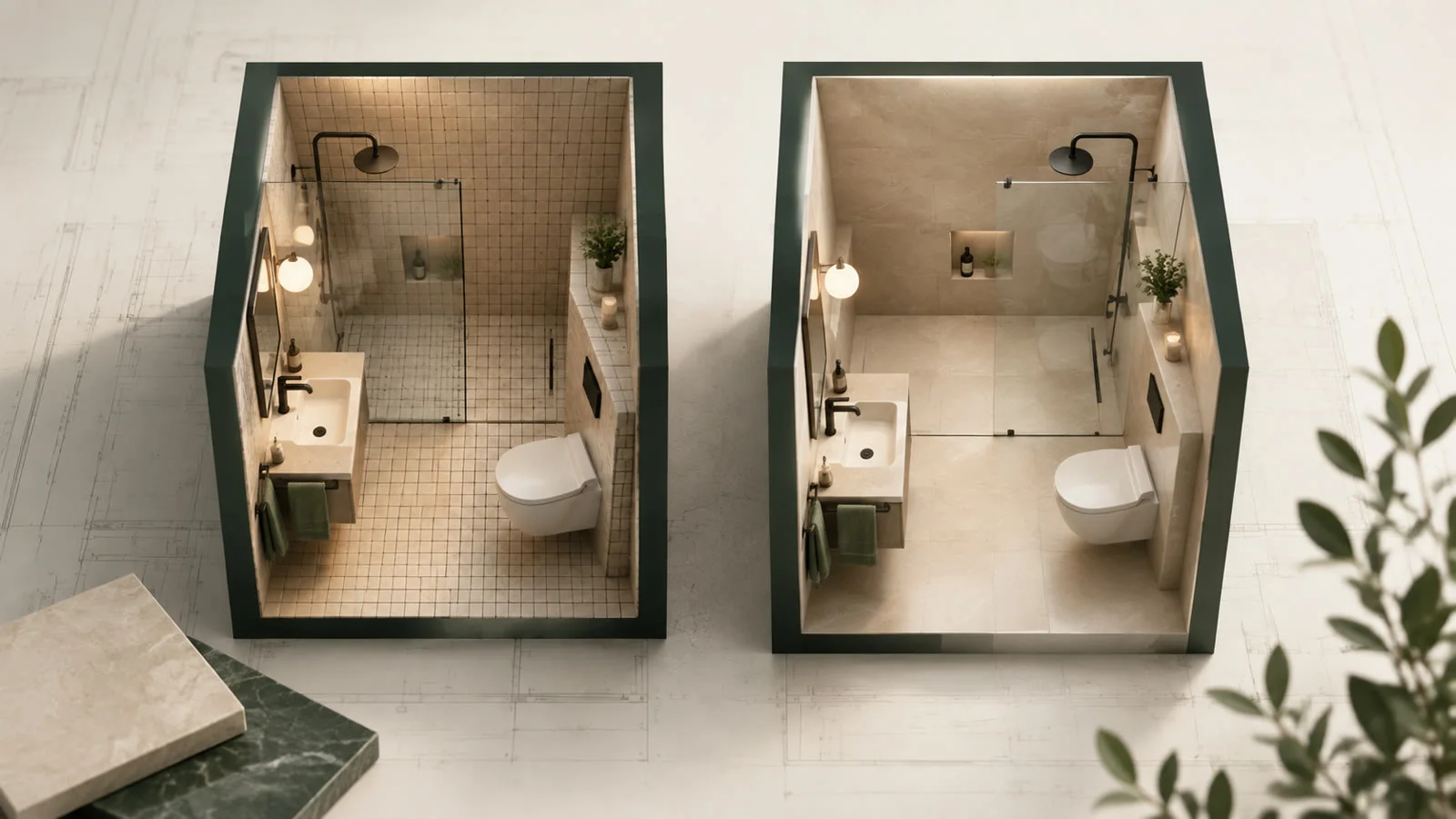
Fewer joints, calmer look
The reason large formats make small bathrooms look bigger is banal: joints are lines, and lines divide surfaces. With 60 × 60 our example bathroom holds 16 tiles, with 20 × 20 it holds 132. The eye reads the continuous surface as larger – provided no narrow strip sits at the edge to cancel the effect immediately.

What matters in practice

The in-between format can be the priciest
Surprising: in this bathroom 30 × 60 costs a 26.7% surplus, more than 60 × 60 at 19.3%. It is not the bigger format that costs, it is the worse-fitting one. 2.30 m divided by the 60.2 cm grid pitch gives 3.8 – four rows, the last one almost complete. With 30 cm tiles the remainder falls less favourably. Choosing a format in a small bathroom means calculating, not guessing.
In a small bathroom almost everything is a border row
At 4.83 m² with a 60 cm format, 7 of 16 tiles are cut – almost half. That is the real reason for the high surplus in small rooms: the perimeter stays the same length while the area shrinks. So if you want a large format in a small bathroom, check all the more carefully where the border row lands.
Joint colour beats joint count
If you prefer a small format or it is cheaper, but you still want the generous impression: pick the grout colour to match the tile rather than contrast with it. Tonal grout makes 132 tiles look almost like one surface, while dark grout draws a clear grid across 16 large-format tiles. Grout colour is the cheapest lever in this whole article.

Three formats, the same bathroom
20 × 20: 132 tiles, 9.3% surplus. 60 × 60: 16 tiles, 19.3%. 30 × 60: 34 tiles, 26.7%. In a bathroom this size we are talking about a couple of square metres of difference – you can make the format decision on looks with a clear conscience, as long as you know what it costs.
Look at appearance and arithmetic separately
In a small bathroom both criteria pull in different directions. That is fine as long as you know what the visual decision costs – at 5 m² usually one or two square metres.
- Fewer joints look more generous – but only without narrow border strips
- It is not the larger format that costs, it is the worse-fitting one
- At 5 m² almost half the tiles are border row
- Tonal grout replaces part of the large-format effect
How to find the format
1. Create the bathroom to scale
Capture the real dimensions including stud walls and shower area.
2. Test three formats
Swap through small, medium and large and compare border widths.
3. Decide by the border row
Pick the format where no row falls below a third of a tile.
Examples from the tool
This is what it looks like planned out
The numbers above do not come from a spreadsheet but from a real layout. You can open these example projects directly – floor plan, laying plan and material list, exactly as the tool outputs them.

Small bathroom with tub and stud wall
Under 3 m² of floor left, but two cutouts: this room produces more cut tiles than full ones – exactly where the m² rule of thumb fails.
- 2.82 m² · 30 × 60 · 2 mm joint
- 9 full tiles, 22 cuts
- 35 tiles incl. 10% reserve

Format comparison: 60 × 60 vs 30 × 60
Two identically sized rooms side by side, only the format differs – each with its own row in the material table. Here the smaller format needs more material, because room dimensions decide, not tile size alone.
- 2 × 13.49 m² · 8% reserve
- 60 × 60 → 46 tiles = 16.6 m²
- 30 × 60 → 98 tiles = 17.6 m²
Opens the read-only client view of a share – the same one you create for your own projects with Premium.
Common questions
Which tile size makes a small bathroom look bigger?
Large formats, because fewer joint lines divide the surface – but only if no narrow strips appear at the edge. A 60 × 60 with a 5 cm border strip looks smaller than a cleanly fitting 30 × 30. So always check both: format and border width.
Is a large format more expensive in a small bathroom?
As a tendency yes, but not necessarily. In our example bathroom 60 × 60 was cheaper at a 19.3% surplus than 30 × 60 at 26.7%, because the room dimensions worked out better. What matters is the ratio of room size to grid pitch, not the tile size alone.
Lay diagonally to make the bathroom look bigger?
The effect exists, but it is dearly bought in a small bathroom: diagonal laying cost a median of 24.8 percentage points more material in our analysis, and in a 5 m² room almost every tile is a cut. For small bathrooms tonal grout is the better trick.
Large tiles in a bathroom with a floor drain – does that work?
Only to a degree. Around a point drain the floor needs falls in four directions, and rigid large formats can hardly form that cleanly. In walk-in showers either small-format mosaic or a linear channel at the edge is therefore the more practical solution.
Is there a fully calculated small bathroom to look at?
Yes. In the "small bathroom" example project above, 2.40 × 1.80 m leaves 2.82 m² of floor once the tub and the stud wall are deducted. That holds 9 full 30 × 60 tiles and 22 cuts – with a 10% reserve that comes to 35 tiles, or 5 packs. More than two thirds of all tiles are cut: at this size, cutting is the rule rather than the exception.
Read on
- Large or small format: which creates less waste?Eight formats, 500 rooms, the same room per run: 20×20 gets by with a median surplus of 0.3%, 60×120 needs 17.4%. The full comparison table.
- Where does the cut row go?The cut row has to go somewhere. Which wall can take it, how narrow a border strip may get, and how to see both on the floor plan before you glue.
- Joint width: when it changes the tile countA surprising result from 500 rooms: joint width does not change the tile count at all in 479 cases – and when it does, it jumps, always downwards.…
Try the formats in your own bathroom
Enter your bathroom dimensions and switch format by format – quantity, cuts and border widths update immediately.
The planning tool opens after free sign-up.