Tile patterns
Compare straight, herringbone, and rotated patterns.
Use the same layout to compare which pattern fits your project visually and materially.
The planning tool opens after free sign-up.
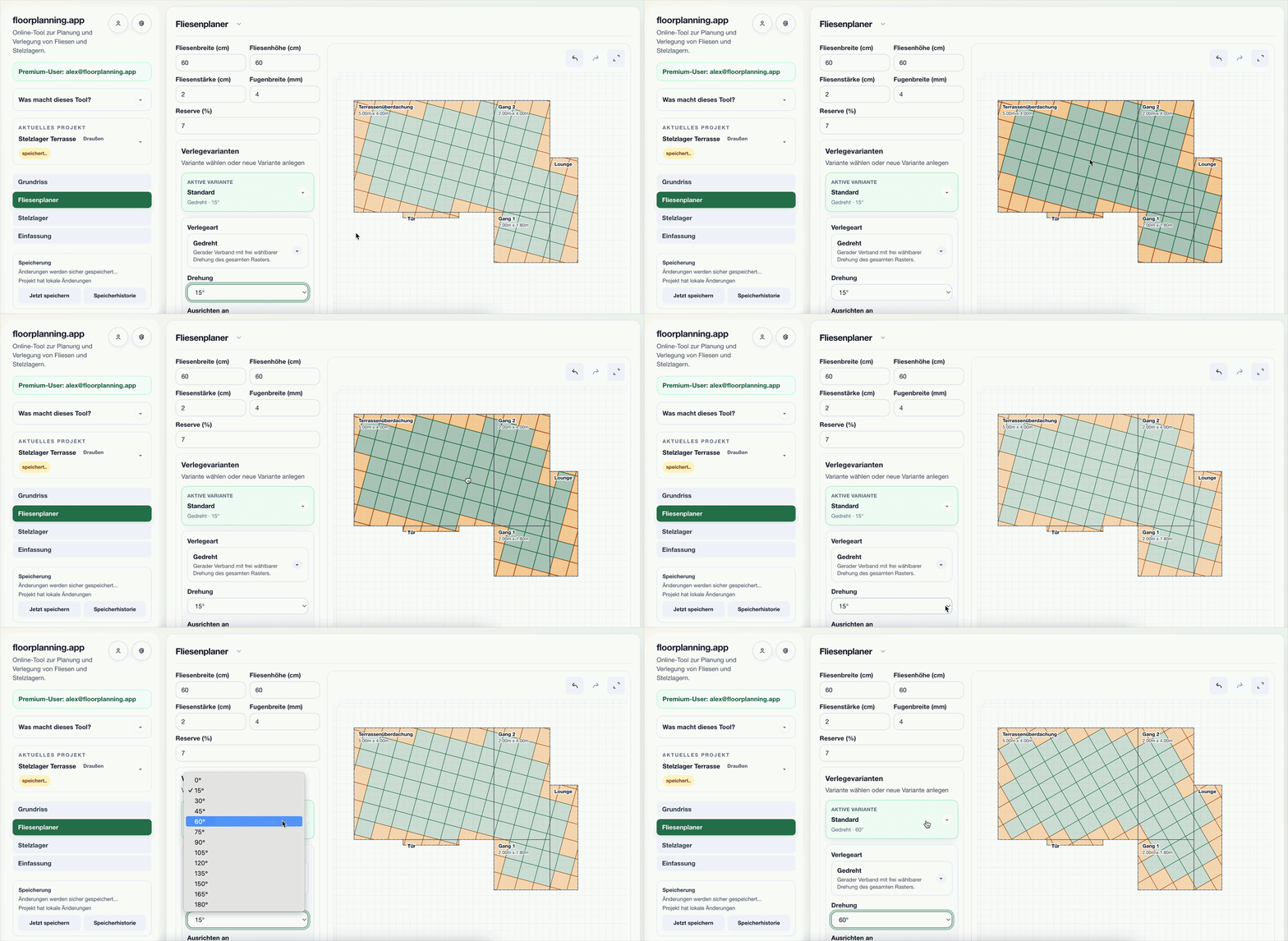
See rotation and alignment live
The animation shows how rotation changes the layout and edge zones in real time.
What matters in practice

Herringbone
High-impact pattern for expressive designs, with transparent cut zones.

Rotated/diagonal
Alternative orientation for different visual effect and targeted waste comparison.
How pattern comparison helps decisions
You compare multiple patterns on the same layout and decide based on look, cuts, and material.
- Tile pattern calculator
- Compare herringbone, straight, and diagonal
- See impact on cuts and waste
How to compare patterns
1. Load layout
Define your area once and keep it as baseline.
2. Switch patterns
Test straight, herringbone, and rotated modes.
3. Decide
Select the pattern with the best material/waste profile.
Examples from the tool
This is what it looks like planned out
The numbers above do not come from a spreadsheet but from a real layout. You can open these example projects directly – floor plan, laying plan and material list, exactly as the tool outputs them.

Herringbone in the living room
A rectangular room with herringbone at 45°: you can see where the centre axis sits and how the border cuts run out symmetrically all around.
- 21.84 m² · 60 × 30 herringbone
- 84 full planks, 64 cuts
- 5.01 m² waste · 12% reserve

Three-room flat, one grid
Six rooms, eleven walls, five doorways – and a single herringbone grid running through every opening. Material is calculated for the whole flat at once.
- 63.79 m² across 6 rooms
- 90 × 30 herringbone, one grid
- 334 planks · 199 cuts
Opens the read-only client view of a share – the same one you create for your own projects with Premium.
Common questions
Can I switch patterns without rebuilding the area?
Yes, you can switch the pattern directly on the same project area.
Can I see the impact on cuts?
Yes, edge and cut zones stay visible for comparison.
Related guides & calculators
- Understand half, third and quarter offsetCompare half, third and quarter offset patterns: understand appearance, lippage risk, edge cuts, and material waste before installation.
- Build a tile layout from scratchPlan a tile layout step by step: measure the room, set reference lines, check edge cuts, compare patterns, and order the right amount of material.
- Herringbone: which corner to start?Learn where to start a herringbone floor: set the centre axis, work symmetrically outward, and preview cuts and the starting point on your floor plan.
- Herringbone across multiple roomsPlan continuous herringbone across rooms: shared grid, direction and door transitions checked on the floor plan, with combined material totals.
- Calculate waste per patternCalculate tile waste from room shape, tile size, and laying direction. Compare optimized layouts and reduce the amount of material you need.
Compare patterns live
Test multiple tile patterns directly on your layout.
The planning tool opens after free sign-up.