Laying pattern guide
Roman bond: fixed 20-cm formats, one clear ratio
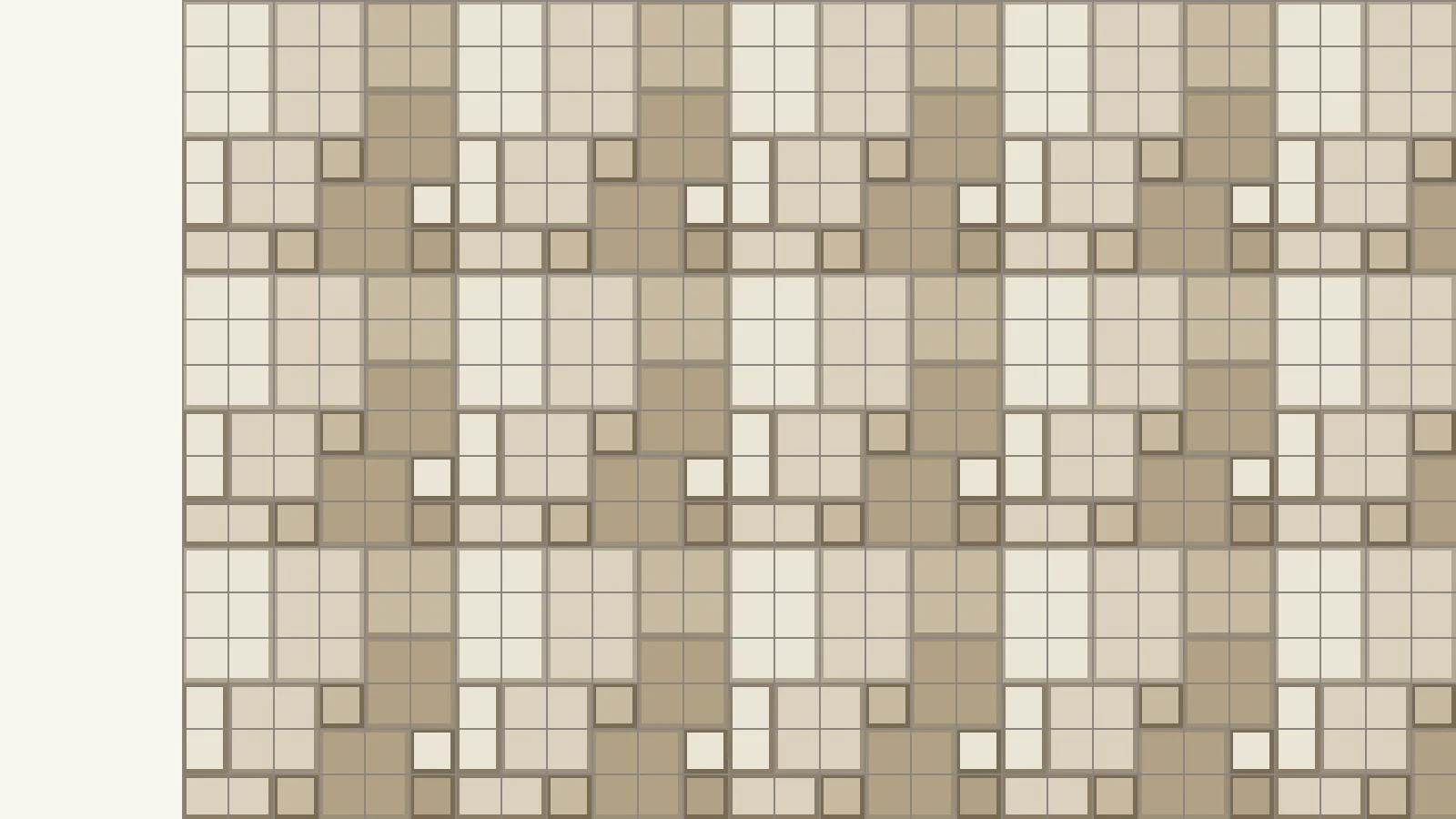
A Roman bond looks like a freely mixed collection of slabs. It is the opposite: the format family is fixed. In the current planner, the German 20-cm set uses 20 × 20, 20 × 40, 40 × 40 and 40 × 60 cm. Each block follows a 4:2:4:2 distribution. You only choose the largest format from a validated list; the planner sets the other three automatically. The rotated 60 × 40 cm option is the same family in the other orientation. Free 30-cm and legacy combinations are not silently converted.
The planning tool opens after free sign-up.
By the floorplanning.app editorial team
Four formats, one fixed ratio
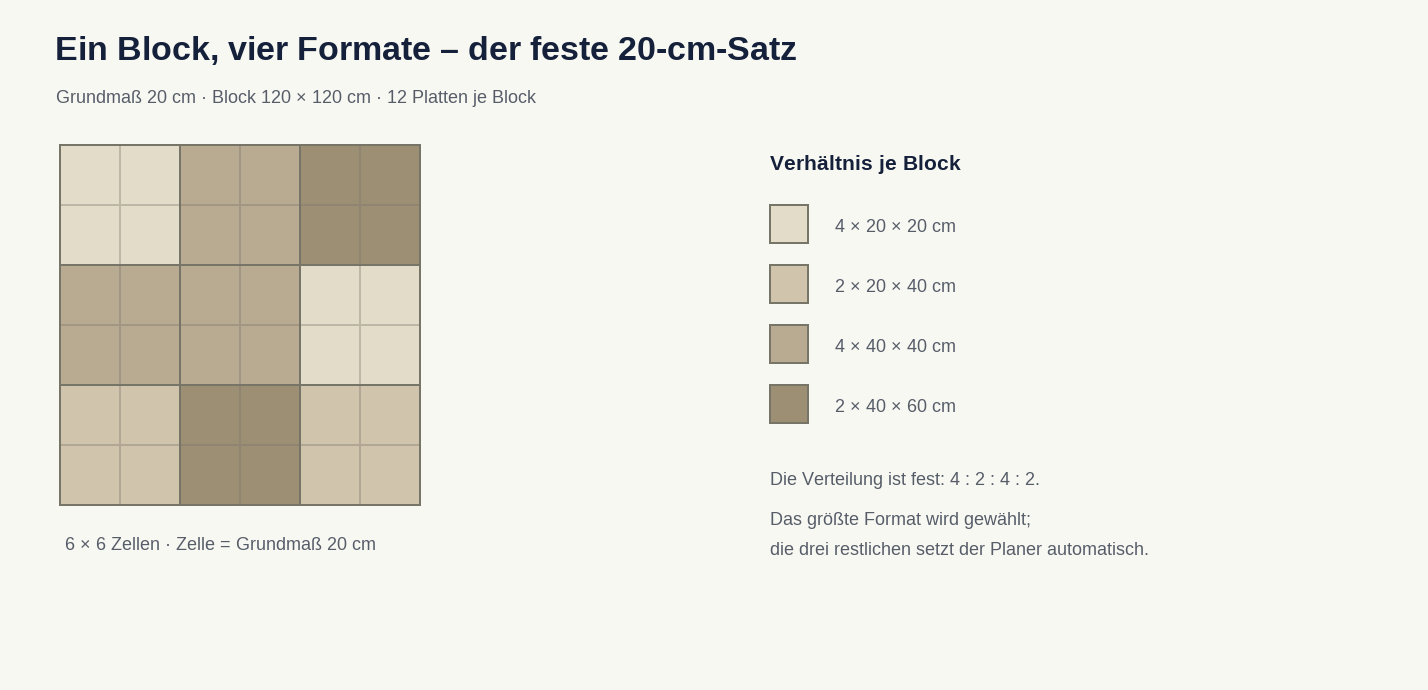
Counted in base units, the 20-cm block contains four small squares (1 × 1), two rectangles (1 × 2), four large squares (2 × 2) and two large rectangles (2 × 3). The counts are fixed: 4:2:4:2. That is why the planner does not let you replace one slab or add a mathematically possible but technically unsuitable format. Choose the largest format and the remaining family is set automatically.
What matters in practice
The block repeats – without running joints
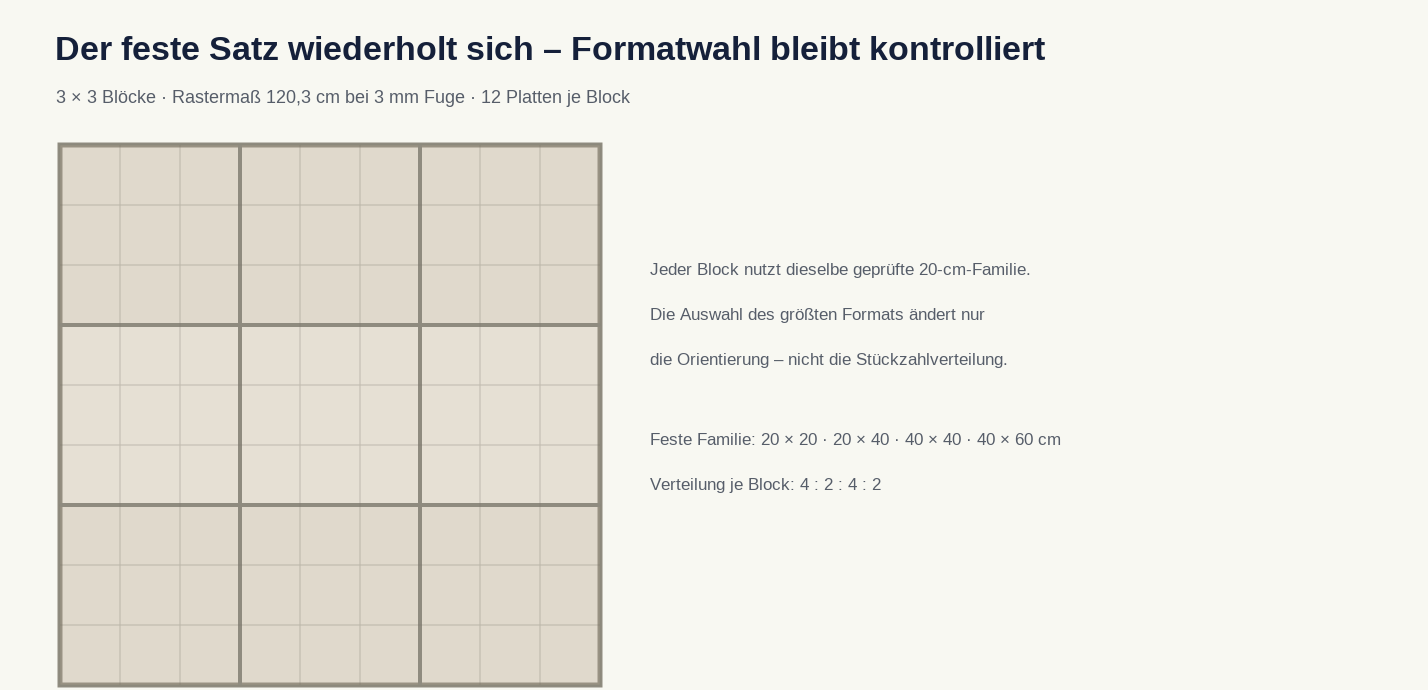
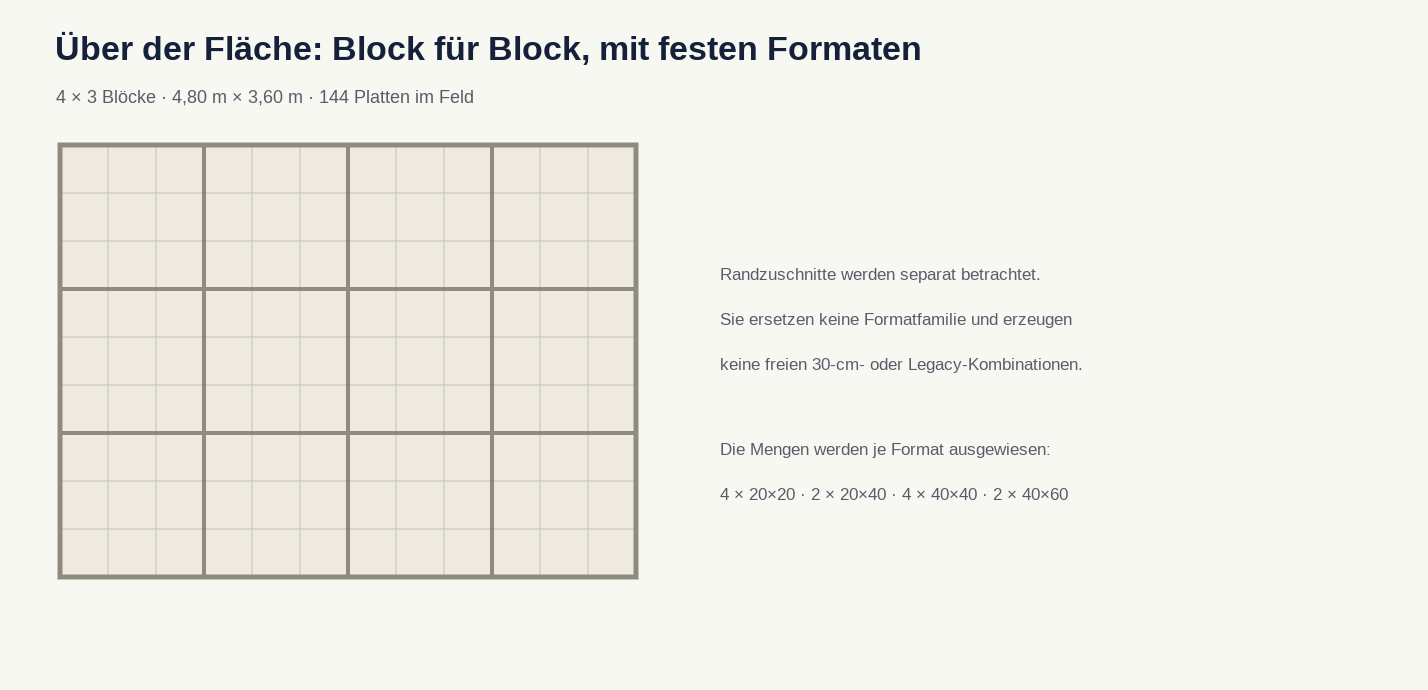
The fixed block can be repeated across the floor. What matters is not a free mixture but the same validated format family and count distribution in every repetition. The planner therefore shows the selected orientation of a fixed set, not random formats.
Choose the largest format from the fixed list
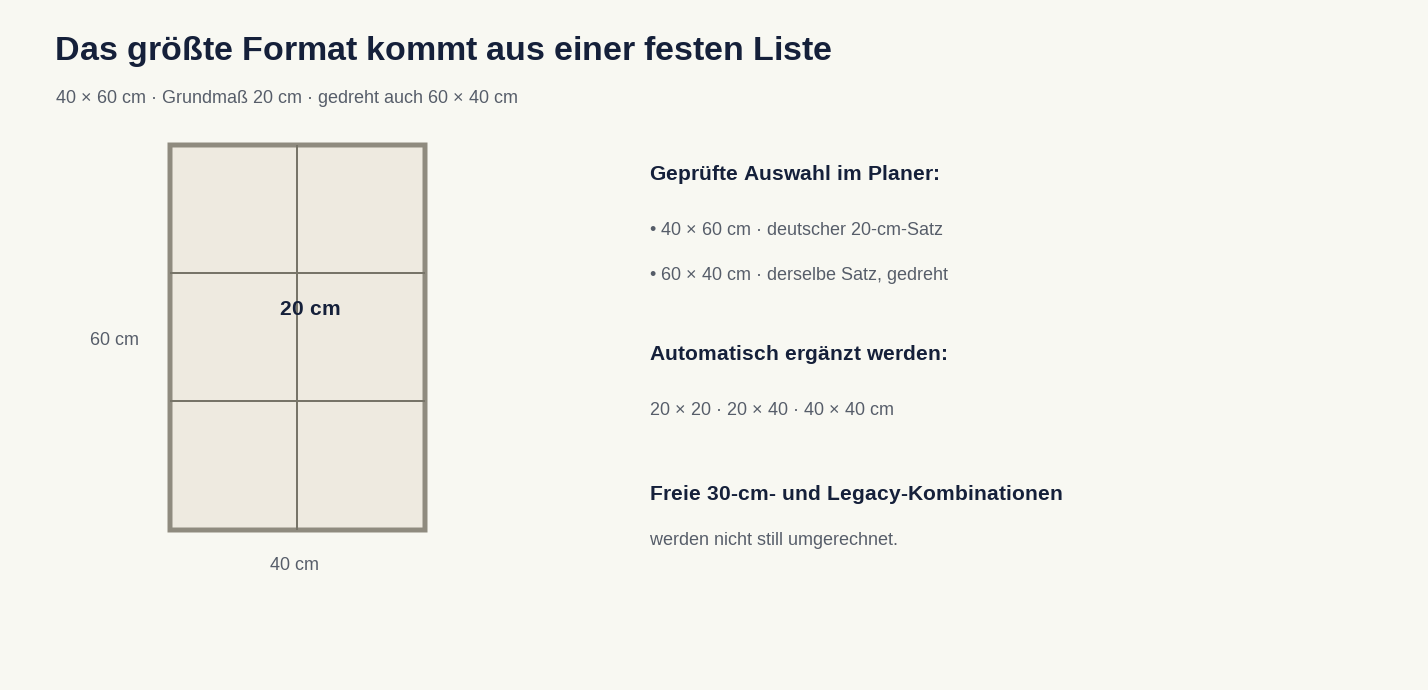
In the current planner, you no longer create the largest format by typing arbitrary dimensions. You can choose the German 20-cm set with 40 × 60 cm or the same family rotated to 60 × 40 cm. The planner then sets 20 × 20, 20 × 40 or 40 × 20, and 40 × 40 cm automatically. An old 30-cm or legacy state is not converted into this family.
Order quantities per format, not as a total
Because the block uses fixed counts, you need a separate quantity for every size: 4 × 20 × 20, 2 × 20 × 40, 4 × 40 × 40 and 2 × 40 × 60 cm per block. Edge cuts are additional and should be reviewed separately. The bond is not intended for pedestals, where a continuous rail grid carries the slabs.
Why the fixed format family matters
The Roman bond is not a free mix of arbitrary slabs. In the current planner it is based on a validated German 20-cm family. Choose the largest format from the list; the remaining formats and the 4:2:4:2 distribution are applied automatically.
- Fixed family: 20 × 20, 20 × 40, 40 × 40 and 40 × 60 cm
- Largest format selectable: 40 × 60 cm or rotated 60 × 40 cm
- Fixed counts per block: 4:2:4:2
- 30-cm and legacy combinations are not silently converted
- Pedestals are ruled out: they need a continuous rail grid
How to proceed
1. Choose the largest format from the list
Choose 40 × 60 cm or the rotated 60 × 40 cm option. Free dimension inputs are not used for this format family.
2. Review the automatic formats
The planner adds 20 × 20, 20 × 40 or 40 × 20, and 40 × 40 cm. The 4:2:4:2 distribution stays fixed.
3. Check the floor and edge cuts
Review repeated blocks, quantities per format and edge areas before ordering. Do not transfer old 30-cm or legacy formats into the new family.
4. Use quantities per format
Order each size separately and add edge cuts plus an appropriate reserve.
Examples from the tool
This is what it looks like planned out
The numbers above do not come from a spreadsheet but from a real layout. You can open these example projects directly – floor plan, laying plan and material list, exactly as the tool outputs them.

Format comparison: 60 × 60 vs 30 × 60
Two identically sized rooms side by side, only the format differs – each with its own row in the material table. Here the smaller format needs more material, because room dimensions decide, not tile size alone.
- 2 × 13.49 m² · 8% reserve
- 60 × 60 → 46 tiles = 16.6 m²
- 30 × 60 → 98 tiles = 17.6 m²

Small bathroom with tub and stud wall
Under 3 m² of floor left, but two cutouts: this room produces more cut tiles than full ones – exactly where the m² rule of thumb fails.
- 2.82 m² · 30 × 60 · 2 mm joint
- 9 full tiles, 22 cuts
- 35 tiles incl. 10% reserve
Opens the read-only client view of a share – the same one you create for your own projects with Premium.
Common questions
Which formats does the planner use?
The fixed German 20-cm family consists of 20 × 20, 20 × 40, 40 × 40 and 40 × 60 cm. You can choose 40 × 60 cm or the same family rotated to 60 × 40 cm as the largest format. The 4:2:4:2 distribution is applied automatically.
Which format sets the base dimension?
In the current planner, the base dimension is no longer created through free inputs. You choose a validated orientation of the 20-cm set: 40 × 60 cm or rotated 60 × 40 cm. The remaining formats are set automatically. 30-cm and legacy combinations are not silently converted.
Can I lay a Roman bond on pedestals?
No. Pedestals need an even, continuous rail grid that holds the slabs in a fixed pitch. The offset block does not fit it. For terraces on pedestals use the continuous slab grid or a rail system – both have their own guides.
Related guides
- Compare laying patternsCompare half, third and quarter offset patterns: understand appearance, lippage risk, edge cuts, and material waste before installation.
- Create a tile layout planPlan a tile layout step by step: measure the room, set reference lines, check edge cuts, compare patterns, and order the right amount of material.
- Formats and wasteEight formats, 500 rooms, the same room per run: 20×20 gets by with a median surplus of 0.3%, 60×120 needs 17.4%. The full comparison table.
Sources & technical references
Technical values can vary by product and build-up. When in doubt, the current installation instructions for the actual system always take precedence.
- Roman bond – laying instructions and set build-up
Traco Manufactur
Manufacturer plan with the four formats and their counts per set.
- Roman bond laying overview
Jona Stone
Laying plan with grid pitches and slab sequence.
- Laying patterns and instructions (PDF)
Steinlese
Overview of the classic bonds including joint rules.
Choose a fixed format family in the planner
Choose 40 × 60 cm or the rotated 60 × 40 cm option. The planner automatically sets 20 × 20, 20 × 40 or 40 × 20, and 40 × 40 cm, then reports quantities per format.
The planning tool opens after free sign-up.