Offcut guide
Optimizing offcuts and reducing waste
Calculating offcuts is the first step – reducing them is the second. Two levers help: align the layout so fewer tiles are cut, and reuse leftover strips elsewhere. floorplanning.app automatically tests many orientations and computationally packs matching offcuts into new tiles. The result: a concrete, smaller purchase quantity – in the example 84 instead of 101 tiles.
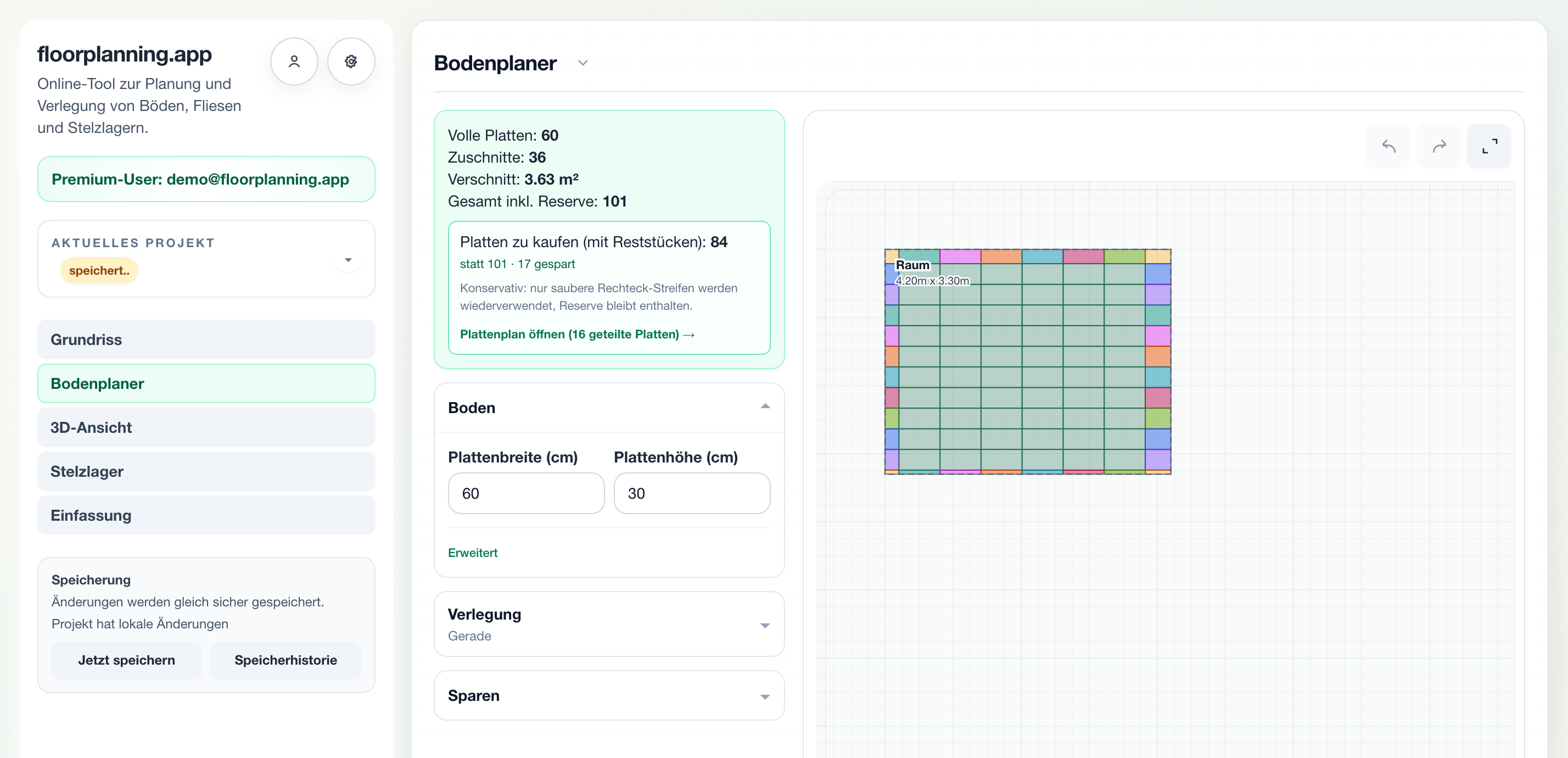
Buy less through reuse
When a tile is cut, an offcut remains. If that strip fits another cut location, you trim it there instead of breaking into a new tile. The tool conservatively checks which offcuts can be safely reused and lowers the purchase quantity accordingly. The reserve stays included.
What matters in practice
Test orientations automatically
Even a few centimetres of grid offset or a different rotation change how many tiles get cut. Instead of trying that by hand, the optimization tests many variants and suggests the most material-efficient one – also for herringbone.
Conservative, not naive
Reuse must not create extra effort on site. That is why the tool accounts for saw kerf, a minimum offcut size and how many visible cut edges per tile are allowed. The plan stays practical and you never buy too few.
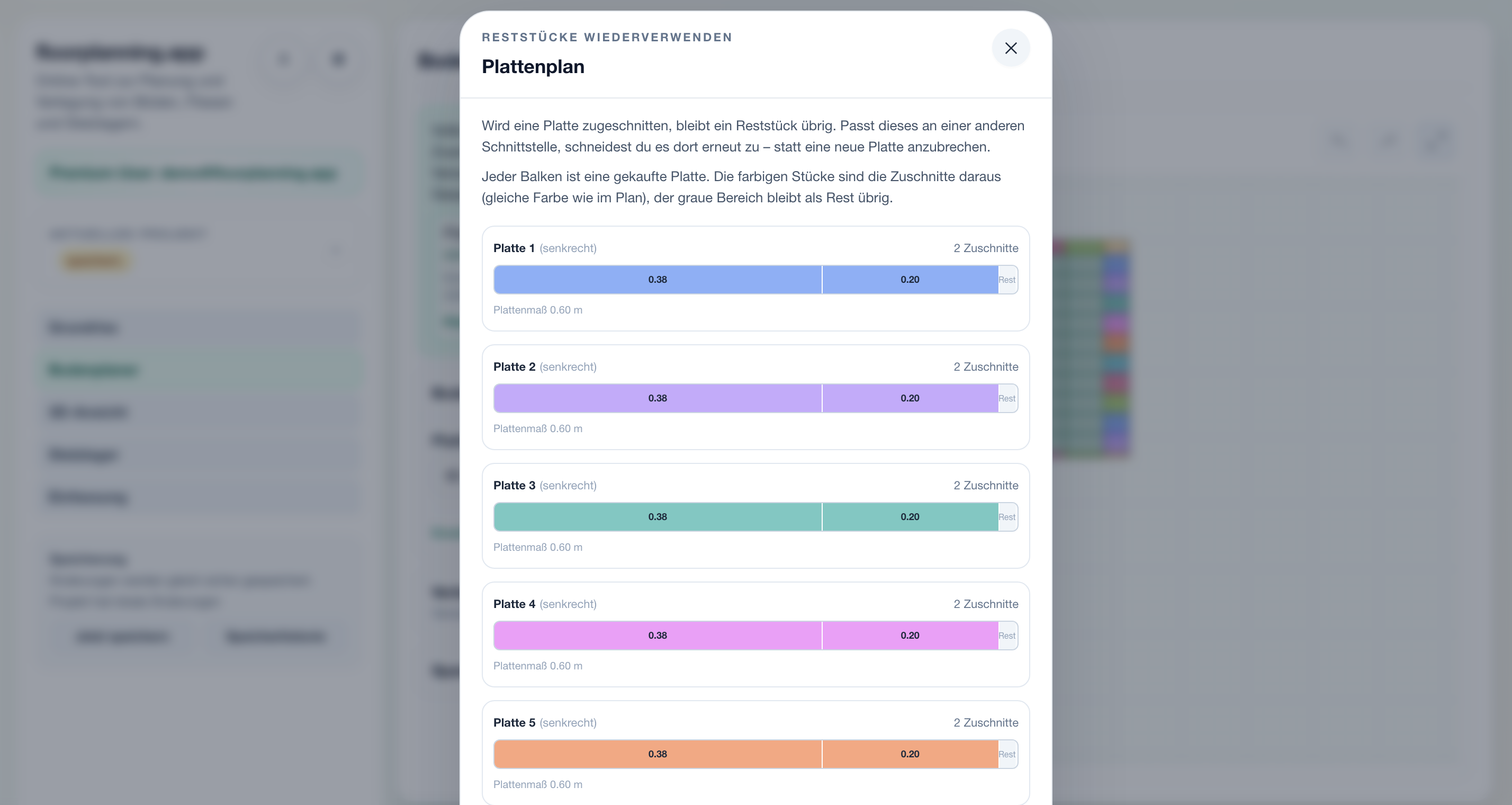
The cutting plan shows every cut
Each bar is one bought tile. The coloured pieces are the cuts taken from it – in the same colour as on the floor plan – and the grey area is the leftover. It becomes clear which two cuts share one tile, and you can work through the plan directly on site.
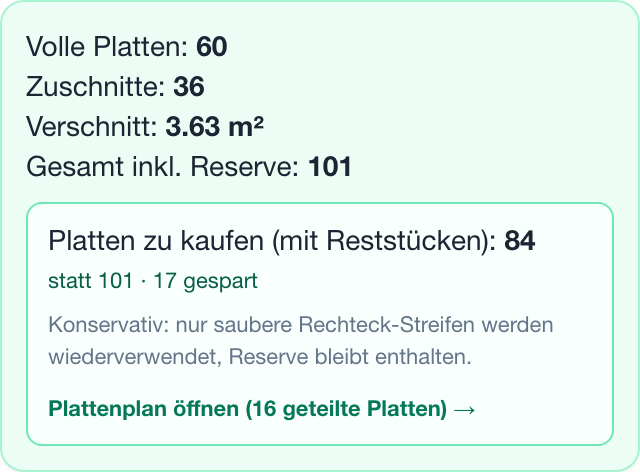
Savings in tiles, in black and white
Instead of a vague percentage you see a clear number: how many tiles you actually need to buy with offcut reuse – and how many you save versus the standard calculation. On large surfaces this difference decides noticeable material cost.
Why optimizing offcuts pays off
On small areas a few tiles do not matter; on large ones they become real money. By testing orientations and computationally packing matching offcuts into new tiles, the tool noticeably lowers the purchase quantity – conservatively calculated and with a clear cutting plan to follow.
- Find the orientation with the fewest cuts
- Reuse offcuts at other cut locations
- Accounts for kerf, minimum size and cut edges
- Reduced purchase quantity including reserve
How to optimize waste
1. Check baseline
Review cuts and waste of the current layout.
2. Enable reuse
Turn on offcut reuse and set the parameters.
3. Use cutting plan
Use the reduced quantity and work the plan on site.
Common questions
How can I reduce tile waste?
Two ways: align the layout so fewer tiles are cut, and reuse the remaining offcuts at other cut locations. The tool combines both and gives you the reduced purchase quantity.
Is offcut reuse realistically doable?
Yes, because the plan is conservative: it accounts for saw kerf, ignores offcuts that are too small and limits visible cut edges. The cutting plan shows exactly which leftover goes where – you do not have to estimate.
Is my safety reserve kept despite optimization?
Yes. The reduced purchase quantity still includes your reserve percentage. What gets optimized is the waste, not your safety buffer.
Related calculators & guides
Reduce waste now
Enable offcut reuse and see your reduced purchase quantity in the cutting plan.